MFA
What is MFA?
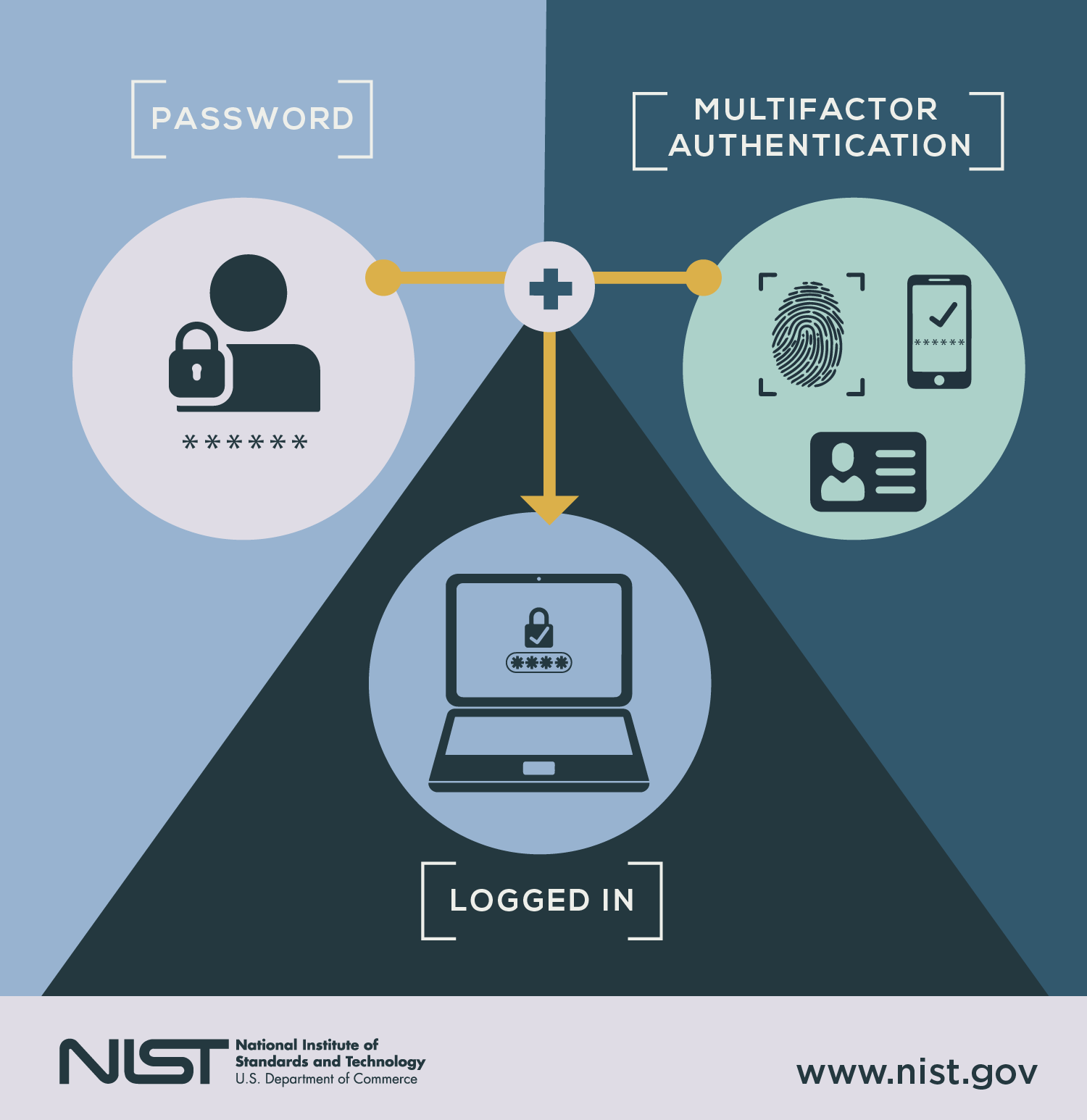
Multi-Factor Authentication (MFA) is a security mechanism that requires two or more independent factors to verify identity before granting access.
Goal: Even if one factor is compromised, the account stays secure.
The 3 Core Authentication Factors
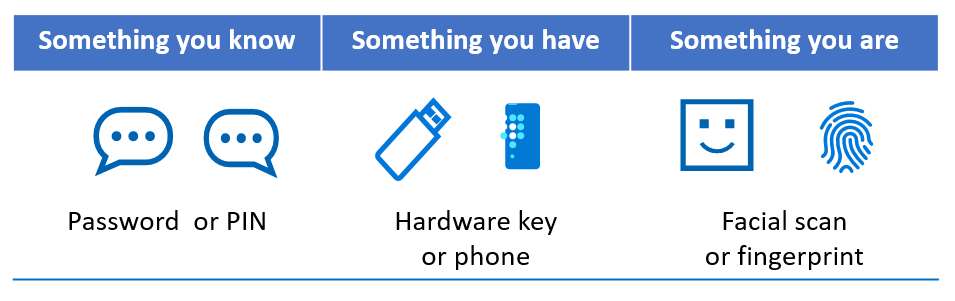

| Factor type | Description | Examples |
|---|---|---|
| Knowledge | Something you know | Password, PIN |
| Possession | Something you have | Phone, hardware key |
| Inherence | Something you are | Fingerprint, Face ID |
✅ True MFA = at least two different categories ❌ Password + PIN = NOT MFA (same category)
Common MFA Methods (Ranked by Security)
| Method | Security | UX | Notes |
|---|---|---|---|
| Hardware security keys (FIDO2/WebAuthn) | 🟢🟢🟢🟢🟢 | 🟢🟢🟢 | Phishing-resistant |
| Authenticator apps (TOTP) | 🟢🟢🟢🟢 | 🟢🟢🟢🟢 | Offline capable |
| Push notifications | 🟢🟢🟢 | 🟢🟢🟢🟢🟢 | Beware MFA fatigue |
| SMS OTP | 🟡 | 🟢🟢🟢🟢🟢 | Vulnerable to SIM swap |
| Email OTP | 🟡 | 🟢🟢🟢🟢 | Email compromise risk |
MFA Technologies Explained
1. One-Time Passwords (OTP)
| Type | How it works | Risk |
|---|---|---|
| HOTP | Counter-based | Replay risk |
| TOTP | Time-based (30s) | Clock drift |
| SMS OTP | Sent via carrier | SIM swap |
Used by:
- Google Authenticator
- Authy
2. Push-Based MFA
- Login attempt → push sent to device
- User taps Approve / Deny
⚠️ Vulnerable to:
- MFA fatigue attacks
- Accidental approvals
Mitigation: number-matching & geolocation display
3. Hardware Security Keys (Best Practice)
Standards: FIDO2 / WebAuthn Devices:
- YubiKey
Why it’s best:
- Cryptographic challenge-response
- Domain-bound (anti-phishing)
- No shared secrets
4. Biometrics
| Type | Where used |
|---|---|
| Fingerprint | Phones, laptops |
| Face recognition | Phones |
| Iris/voice | High-security |
⚠️ Usually local verification, not sent to servers.
MFA Threats & Attacks (You Must Know These)
| Attack | What happens | Mitigation |
|---|---|---|
| Phishing | Steals password + OTP | WebAuthn |
| SIM swap | Attacker hijacks SMS | No SMS MFA |
| MFA fatigue | Push spam | Number matching |
| Replay attacks | OTP reuse | Short TTL |
| Malware | Token theft | Hardware keys |
MFA vs 2FA vs Passwordless
| Term | Meaning |
|---|---|
| 2FA | Exactly two factors |
| MFA | Two or more factors |
| Passwordless | No passwords at all |
👉 Passwordless still uses MFA Example: Security key + biometric
Real-World MFA Architectures
SaaS / Web Apps
- Password + TOTP
- Push MFA
- WebAuthn (recommended)
Enterprise
- SSO + conditional MFA
- Device trust
- Risk-based MFA
APIs / Servers
- MFA only for login
- Tokens afterward (JWT, OAuth)
MFA in Cloud Platforms
| Platform | MFA Support |
|---|---|
| AWS | IAM MFA, hardware keys |
| Google Cloud | Security keys |
| Azure | Conditional access |
| GitHub | TOTP + WebAuthn |
MFA Best Practices (2026-Ready)
✅ Enforce MFA for admins & production access ✅ Prefer WebAuthn / FIDO2 ✅ Disable SMS MFA where possible ✅ Provide backup codes ✅ Log MFA events ✅ Rate-limit OTP attempts ✅ Rotate secrets on device loss
MFA UX Design Tips (Often Missed)
- Allow multiple MFA methods
- Show last login metadata
- Provide grace period for new devices
- Avoid MFA on every request (token reuse)
- Clear recovery flows
Compliance & MFA
| Standard | MFA Requirement |
|---|---|
| ISO 27001 | Strong auth |
| SOC 2 | Required |
| HIPAA | Addressable |
| PCI-DSS | Mandatory |
| GDPR | Recommended |
MFA vs Encryption (Important Distinction)
| MFA | Encryption |
|---|---|
| Protects access | Protects data |
| Identity control | Confidentiality |
| Stops account takeover | Stops data leaks |
👉 You need both
The Future of MFA
- 🔐 Passkeys (FIDO) replacing passwords
- 📱 Device-bound credentials
- 🧠 Continuous authentication
- 🤖 Risk-based adaptive MFA
TL;DR (Executive Summary)
- MFA = minimum standard security
- Hardware keys > TOTP > Push > SMS
- Passwordless ≠ insecure
- Phishing resistance matters more than convenience
- Poor MFA UX causes security bypasses