Animating a still image: how image-conditioned video diffusion works, the mid-2026 model landscape, why video evaluation is still unsolved, and runnable code for the handful of open models that actually fit on a 12 GB card.
Author
Benedict Thekkel
1. What is Image-to-Video?
Image-to-Video (I2V) takes a single still image and produces a short video clip whose first frame is (approximately) that image. The model has to invent everything the photo does not contain: how the subject moves, how the camera moves, how light and occlusion evolve over time - while keeping the identity, layout and style of the source frame stable for every frame it emits.
Input. One RGB image (the conditioning / start frame), plus - on every model released after ~2024 - a text prompt describing the motion. Optional extras: an end frame, a target frame count, a frame rate, a motion-strength scalar, a camera trajectory.
Output. A tensor of shape (T, H, W, 3), i.e. a list of PIL frames, typically T = 14 to 121 frames at 8-24 fps. That is 1 to 5 seconds. Nothing open generates a minute-long shot in one pass; long videos are stitched from chunks, each conditioned on the tail of the last.
The task splits into sub-tasks that people casually lump together but that need different models:
Sub-task
What you give it
What it does
Typical model
Image animation
image only
bring a still to life, motion is the model’s guess
Stable Video Diffusion (no text input at all)
Image + text conditioned generation
image + motion prompt
the dominant modern interface: you direct the motion in words
Wan 2.2 I2V, LTX-Video, CogVideoX-I2V
Keyframing / interpolation
first + last frame
generate the in-between (FLF2V)
Wan 2.1 FLF2V, LTX LTXConditionPipeline, FramePack
Camera-motion control
image + camera trajectory
orbit / dolly / pan on command
SVD motion_bucket_id (crude), MotionCtrl, CameraCtrl, Wan camera LoRAs
Character / portrait animation
portrait + driving video or audio
reenact a face or body
LivePortrait, AnimateAnyone, Wan 2.2 Animate
Neighbouring tasks:
Task
What it does
See
Text-to-video
no image; the model invents the scene too
10_Text_to_Video
Video-to-video
restyle / edit an existing clip
18_Video_to_Video
Text-to-image
the 2-D generative ancestor; every video model is built on one
04_Text_to_Image
Image-to-image
single-frame editing, no time axis
06_Image_to_Image
Image-to-3D
the other way to make a still move (render an orbit)
15_Image_to_3D
Video classification
the discriminative counterpart on video
09_Video_Classification
If you have not read 04_Text_to_Image, read it first: latent diffusion, the VAE, classifier-free guidance and flow matching are assumed here, and everything below is that machinery with a time axis bolted on.
Restraint: minimal motion, zero hallucinated detail
World models and robot policy rollout
Robotics / AV research (NVIDIA Cosmos)
Camera frame + action -> predicted future frames
Physical accuracy over aesthetics; conditioning on actions
What the leaderboard number hides. Almost none of the above is bottlenecked by “video quality” in the VBench sense. It is bottlenecked by control and cost.
Control: a marketing team does not want a beautiful 5-second clip, it wants this product to sit still while this light sweeps across it. Every open I2V model will happily mutate the logo on the box in frame 30. The industry answer is not a better base model, it is conditioning: keyframes, camera trajectories, LoRAs, ControlNets, and re-rolling until a shot survives review. Expect a double-digit reject rate and price the compute accordingly.
Cost: generation is minutes of GPU time per clip, not milliseconds. There is no streaming I2V: the model denoises the whole clip jointly, so latency scales with clip length and nothing appears until it is done. (Autoregressive / next-frame-prediction models like FramePack and SkyReels-V2 are the exception, and they trade quality for it.)
Failure modes that actually matter:identity drift (the face is someone else by frame 20), temporal flicker (texture boils), the static-video cop-out (the model, punished for inconsistency, learns to barely move - and scores brilliantly on consistency metrics), physics violations (objects pass through each other, water flows uphill, a cut fruit reassembles), and text destruction (any writing in the source image dissolves into glyph soup). Also legal: several of the best open weights are non-commercial or carry regional carve-outs, and training-set provenance is undisclosed for all of them.
3. How Modern Image-to-Video Works
The whole field is one problem in a trench coat: temporal consistency. A per-frame image model applied 25 times gives you 25 unrelated pictures. Everything below is an answer to “how do we make frame t+1 know about frame t” - and the answers got progressively more expensive.
1. Inflated 2-D UNets with temporal layers (2022-2023). Take a pretrained Stable Diffusion UNet, freeze the spatial weights, and insert temporal attention / 1-D convolutions across the frame axis after each spatial block. Video Diffusion Models, Align-Your-Latents, and AnimateDiff (2023) work this way - AnimateDiff’s “motion module” is a plug-in trained on video that any SD 1.5 checkpoint can borrow, which is why it is still the cheapest way to get motion out of a stylised model. Stable Video Diffusion (Nov 2023) is the industrial version: the same inflation, trained properly on a curated video corpus (LVD), conditioned on a CLIP image embedding plus the VAE-encoded start frame concatenated to the noisy latent. Trade-off: cheap and fast, but the spatial backbone never learned time. Motion is small, drifts, and the clip is short (14-25 frames). Because the latent VAE compresses space only (8x8), the latent sequence is as long as the video, so memory grows linearly with frames.
2. 3-D causal VAEs (2024). Compress time as well as space. CogVideoX’s 3-D causal VAE does 4x8x8 (TxHxW); Wan 2.2’s does 4x16x16 for a 64x total compression. This is the single most important memory lever in the field: it is what lets a 49-frame clip cost the DiT the same as ~13 latent frames. “Causal” matters because it lets the first frame be encoded independently, which is exactly what you need to inject an I2V conditioning image without leaking the future. Trade-off: the VAE is now a big model in its own right, and decoding is a memory spike - hence vae.enable_tiling() / enable_slicing() in every snippet below.
3. Spatio-temporal DiT with 3-D full attention + flow matching (2024-2026, current). Drop the UNet. Patchify the video latent into a flat sequence of T x H x W tokens and run a transformer with full attention over all of them (no factorised space-then-time attention: joint 3-D attention is what fixed large-motion coherence). Train with flow matching / rectified flow rather than DDPM noise prediction. This is Sora, CogVideoX (an “expert” DiT with modality-specific AdaLN), Wan 2.x, HunyuanVideo, LTX-Video, Veo. Trade-off:attention is quadratic in T x H x W. A 5 s 720p clip is tens of thousands of tokens, so cost explodes with resolution and length. This is the entire reason a 3060 cannot run the good models. The 2026 counter-attacks are all attention-sparsification (HunyuanVideo-1.5’s selective/sliding tile attention), higher VAE compression (Wan 2.2’s 64x), step distillation (LTX distilled variants run in 4-8 steps), and MoE (Wan 2.2 A14B: 27B total, 14B active, split into a high-noise “layout” expert and a low-noise “detail” expert).
How the image actually conditions the model (the I2V-specific bit). Two mechanisms, usually together: - Latent concatenation. VAE-encode the source image, tile/pad it along the time axis, and concatenate it channel-wise to the noisy latent (SVD, CogVideoX-I2V, Wan I2V). The UNet/DiT sees “here is frame 0, in latent space” at every denoising step. Some models add a binary mask channel marking which frames are given. - Semantic image embedding. Encode the image with CLIP/SigLIP and feed it through cross-attention where the text embedding would go (SVD replaces the text encoder with a CLIP image encoder entirely - which is why SVD takes no prompt, and why you cannot tell it what to do). Keyframing (FLF2V) is the same trick with a condition pinned at frame 0 and at frame T-1.
Cheat sheet:
Generation
Time modelling
Params (open)
Frames
Speed
Motion quality
Fits 12 GB?
Inflated SD UNet + motion module (AnimateDiff)
temporal attention on a frozen 2-D backbone
~1.3B total
16
seconds
small, loopy
yes, easily
Image-conditioned UNet (SVD / SVD-XT)
temporal layers, CLIP-image conditioning, no text
1.5B
14 / 25
minutes
decent camera motion, no direction
yes (fp16 + offload)
DiT + 3-D VAE (CogVideoX-5b-I2V)
3-D full attention, 4x8x8 VAE
5B (+4.7B T5)
49
many minutes
good
only with 4-bit + offload
Fast DiT (LTX-Video 2B)
3-D attention, 1:192 VAE, flow matching
2B (+4.7B T5)
121+
~1 min
fair; the speed/quality trade is explicit
yes (4-bit)
Frontier DiT (Wan 2.2 I2V-A14B, HunyuanVideo, LTX-2)
3-D full attention, MoE, distillation
8-27B
81-121
many minutes on a 24-80 GB card
best open
no
Who leads right now (mid-2026): Wan 2.2 I2V-A14B for open-weights quality, LTX-2 / LTX-2.3 for open-weights speed-and-audio, HunyuanVideo-1.5 for quality-per-parameter. All three need more than 12 GB. On this box the realistic ceiling is LTX-Video 2B and CogVideoX-5b-I2V in 4-bit.
4. Evaluation Metrics
Video generation evaluation is not solved. There is no WER, no mAP. The honest summary: the numbers are weakly correlated with what a human calls a good clip, and every one of them is gameable.
Frechet Video Distance (FVD) - the FID of video. Embed real and generated clips with a pretrained action-recognition network (I3D on Kinetics-400) and compare the two Gaussians fitted to the features:
Caveats, and they are severe: FVD is sensitive to sample count, clip length, resolution, the exact I3D checkpoint and the resize/crop pipeline, so numbers are not comparable across papers. It is dominated by per-frame appearance (a model that produces beautiful still frames with terrible motion scores well), and it says nothing about whether the video obeys the conditioning image or the prompt.
VBench / VBench-2.0 - the de facto standard multi-dimensional benchmark. VBench scores 16 dimensions including subject consistency, background consistency, temporal flickering, motion smoothness, dynamic degree, aesthetic quality, imaging quality, and an I2V suite that adds I2V subject/background consistency (does the output still look like the source image?) and camera motion control. VBench-2.0 (2025) goes after “intrinsic faithfulness” with 18 dimensions across Human Fidelity, Controllability, Creativity, Physics and Commonsense - mechanics, thermotics, multi-view consistency, motion order.
The perverse incentive you must internalise:a completely static video scores near-perfect on subject consistency, background consistency, temporal flickering and motion smoothness, and 0 on dynamic degree. Any consistency metric read on its own rewards a model for doing nothing. VBench exists as a vector for exactly this reason, and a single-number “VBench score” that averages the dimensions is close to meaningless. Read consistency against dynamic degree, always.
Practical proxies you can compute yourself (used below): - Temporal consistency: mean cosine similarity between CLIP (or DINO) embeddings of adjacent frames. \[C = \frac{1}{T-1}\sum_{t=1}^{T-1} \frac{f(x_t)\cdot f(x_{t+1})}{\lVert f(x_t)\rVert\,\lVert f(x_{t+1})\rVert}\] - Dynamic degree (the counterweight): mean absolute pixel change between adjacent frames, or the mean magnitude of RAFT optical flow. - Warping error: estimate optical flow \(t \to t+1\), warp frame \(t\) forward, and measure L1 against the real frame \(t+1\). Penalises flicker without penalising honest motion - the best cheap proxy there is. - I2V fidelity: CLIP/DINO similarity between the source image and the generated first frame. If this is low, the model ignored your image. - CLIPSIM: CLIP text-image similarity averaged over frames, for prompt adherence.
Human preference is still the gold standard. The Artificial Analysis Video Arena runs blind pairwise votes and publishes an Elo for image-to-video specifically. It disagrees with VBench often enough to be worth checking.
Speed metrics that matter more than any of the above on this hardware: seconds of wall clock per second of generated video, peak VRAM, and frames per generation. Report all three.
The cell below builds two synthetic clips - a moving square and a frozen frame - and shows the blind spot directly.
# Self-contained: this runs before the Setup cell, so it defines its own paths/device.# The `frame_consistency` helper defined here is reused in the benchmark (section 12).from pathlib import Pathimport numpy as npimport torchfrom PIL import Image, ImageDrawfrom transformers import CLIPModel, CLIPProcessor_HF_CACHE =str(Path("../../datasets") /"hf_cache")_CLIP = {}def _clip():"Lazily load CLIP ViT-B/32 (~150M params, ~0.3 GB fp32 - small enough to keep resident)."ifnot _CLIP: dev ="cuda:0"if torch.cuda.is_available() else"cpu" _CLIP["device"] = dev _CLIP["proc"] = CLIPProcessor.from_pretrained("openai/clip-vit-base-patch32", cache_dir=_HF_CACHE ) _CLIP["model"] = ( CLIPModel.from_pretrained("openai/clip-vit-base-patch32", cache_dir=_HF_CACHE) .to(dev) .eval() )return _CLIPdef frame_consistency(frames):"Cosine similarity between CLIP embeddings of adjacent frames. Returns an array of length T-1." c = _clip()with torch.inference_mode(): inputs = c["proc"](images=list(frames), return_tensors="pt").to(c["device"]) emb = c["model"].get_image_features(**inputs).pooler_output emb = torch.nn.functional.normalize(emb.float(), dim=-1) sims = (emb[:-1] * emb[1:]).sum(-1)return sims.cpu().numpy() # off-GPU before anything is freeddef dynamic_degree(frames):"Mean absolute pixel change between adjacent frames (0-1). The counterweight to consistency." arr = np.stack([np.asarray(f.convert("RGB"), dtype=np.float32) /255.0for f in frames])returnfloat(np.abs(arr[1:] - arr[:-1]).mean())def moving_square(n=16, size=224):"A white square translating across a black canvas - honest motion." out = []for t inrange(n): img = Image.new("RGB", (size, size), "black") x =20+int(t * (size -90) / (n -1)) ImageDraw.Draw(img).rectangle([x, 90, x +50, 140], fill="white") out.append(img)return outmoving = moving_square()static = [moving[0]] *16# the degenerate "video" that games every consistency metricc_moving, c_static = frame_consistency(moving), frame_consistency(static)print(f"moving square : consistency {c_moving.mean():.4f} dynamic degree {dynamic_degree(moving):.4f}")print(f"static clip : consistency {c_static.mean():.4f} dynamic degree {dynamic_degree(static):.4f}")print("\nThe static clip scores a PERFECT 1.0 on temporal consistency and 0.0 on motion.")print("Read either number alone and the do-nothing model wins.")
Warning: You are sending unauthenticated requests to the HF Hub. Please set a HF_TOKEN to enable higher rate limits and faster downloads.
moving square : consistency 0.9951   dynamic degree 0.0182
static clip   : consistency 1.0000   dynamic degree 0.0000

The static clip scores a PERFECT 1.0 on temporal consistency and 0.0 on motion.
Read either number alone and the do-nothing model wins.
from pyecharts import options as optsfrom pyecharts.charts import Lineline = ( Line() .add_xaxis([f"{t}->{t +1}"for t inrange(len(c_moving))]) .add_yaxis("moving square", [round(float(x), 4) for x in c_moving], is_smooth=True) .add_yaxis("static clip", [round(float(x), 4) for x in c_static], is_smooth=True) .set_global_opts( title_opts=opts.TitleOpts( title="Frame-to-frame CLIP consistency", subtitle="a video that does nothing is 'perfectly consistent'", ), xaxis_opts=opts.AxisOpts(name="frame pair"), yaxis_opts=opts.AxisOpts(name="cosine similarity", min_=0.6, max_=1.02), tooltip_opts=opts.TooltipOpts(trigger="axis"), ))line.render_notebook()
5. Datasets
Nobody trains a video model on this box, but knowing the corpora tells you what the models saw - and what they never saw (your product, your logo, your face).
Dataset
Contents
Size
Scope
License
Typical use
WebVid-10M
stock-footage clips + alt-text captions
10M clips
web stock video, watermarked
taken down (2024, rights dispute)
historical; every 2023 model trained on it, and its Shutterstock watermark still ghosts through some outputs
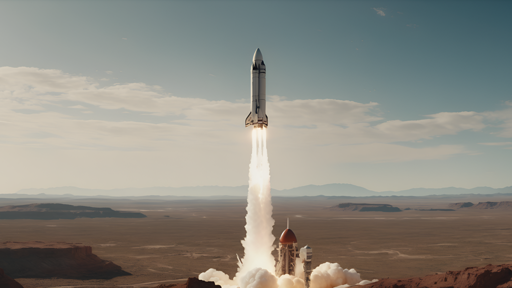
What this notebook uses. None of them. I2V needs one image per generation, not a corpus - so the runnable cells condition on a single well-known sample image (the SVD rocket) and evaluate with the no-reference proxies from section 4. That is the honest scope of a smoke test on a 12 GB card; a real evaluation means running the VBench-I2V suite over hundreds of prompts on a much larger machine.
Gating. Panda-70M and HD-VILA are download-a-list-of-YouTube-IDs datasets (link rot is real, and re-hosting is a licensing problem). WebVid is simply gone. This is not incidental: no open video model publishes a reproducible training set, so “open weights” here never means “open model”.
Closed frontier, for calibration. Google Veo 3.x / Gemini Omni Flash and ByteDance Seedance 2.0 top the Artificial Analysis I2V arena (Elo ~1200 as of mid-2026), with xAI’s grok-imagine, Alibaba’s HappyHorse/Wan 2.7, Kling, PixVerse, Runway Gen-4 and Luma close behind. The best open model sits roughly 200-250 Elo below the top of that board. A cautionary note on building on closed video APIs: OpenAI discontinued Sora on 2026-03-24 (app off 2026-04-26, API off 2026-09-24) after reportedly burning ~$1M/day - the flagship of the field in late 2025 no longer exists.
Who wins what. Quality: Wan 2.2 I2V-A14B (open) / Veo 3.x, Seedance 2.0 (closed). Speed: LTX-Video, by a wide margin - a 5 s clip in under 30 s on a 4090, 4-8x faster than Wan or Hunyuan. Size: AnimateDiff and SVD are the only things that load without ceremony. Tie this back to section 2: ad creative wants control (Wan + LoRAs), consumer photo animation wants unit cost (LTX or a distilled model), archival animation wants restraint (SVD at a low motion_bucket_id is genuinely the right tool).
The 12 GB reality check, stated bluntly. Two separate 12 GB budgets, VRAM and system RAM, and the second one is the one that ambushes people: - enable_model_cpu_offload() does not make a model small - it moves the weights into system RAM and streams them to the GPU. Total RAM needed is the sum of all pipeline components. HunyuanVideo/FramePack’s 13B transformer is ~26 GB in bf16: it does not fit in this box’s RAM, so the famous “runs in 6 GB of VRAM” claim is irrelevant here. - The text encoder is usually the problem, not the video model. LTX-Video’s transformer is 2B (~4 GB bf16) but it ships with T5-XXL, 4.7B (~9.4 GB bf16). CogVideoX-5b is 5B + the same T5. On a 12 GB card the text encoder alone nearly fills the GPU. - The fix that actually works here is 4-bit NF4 quantization (bitsandbytes) of the transformer and the text encoder, plus model CPU offload and VAE tiling/slicing. That takes LTX-2B to ~3.5 GB and CogVideoX-5b-I2V to ~5.5 GB of weights, which is why both appear as runnable cells below. - Anything at or above ~8B params is table-only. Do not try Wan 2.2 A14B here.
7. Setup
diffusers is the general-purpose Hugging Face library for generative image/video, and it is the right tool here (it uses transformers for the text and image encoders internally). Package roles:
diffusers (>=0.35) + torch + accelerate - the video pipelines and CPU offloading
transformers - the T5 / CLIP text and image encoders inside those pipelines, and CLIP for the metric
bitsandbytes - 4-bit NF4 quantization; mandatory for LTX and CogVideoX on a 12 GB card
pyecharts, pandas - the charts and the benchmark table
opencv-python - webcam capture in the optional demo
Read this before running anything. These cells are minutes, not seconds, and the downloads are large:
Section
Download
Rough wall clock on an RTX 3060 (12 GB)
SVD-XT
~9 GB
4-8 min for 14 frames at 1024x576
AnimateDiff + SparseCtrl
~5 GB
~1 min for 16 frames at 512x512
LTX-Video 2B
~28 GB (fp32 weights on the Hub)
~2-4 min for 57 frames at 704x480
CogVideoX-5b-I2V
~20 GB
10-25 min for 17 frames at 720x480
Those wall clocks are order-of-magnitude expectations, not measured numbers - the point is that a full pass of this notebook is a coffee-break, not an interactive session. Everything lands in DL_tasks/datasets/ (gitignored); budget ~60 GB of disk.
# Generative video runs through diffusers (the general-purpose HF library for# image/video generation) - it loads its text/image encoders from transformers.# %pip install -q torch diffusers transformers accelerate bitsandbytes peft# %pip install -q imageio imageio-ffmpeg sentencepiece protobuf ftfy pyecharts pandas# Optional extra for the webcam demo (section 14)# %pip install -q opencv-python
import ctypesimport ctypes.utilimport gcimport timeimport urllib.requestfrom pathlib import Pathimport torchfrom dotenv import find_dotenv, load_dotenv# Knowledge/.env sets HF_TOKEN - authenticated HF Hub requests get higher rate limitsload_dotenv(find_dotenv(usecwd=True))device ="cuda:0"if torch.cuda.is_available() else"cpu"dtype = torch.float16 if device !="cpu"else torch.float32if device !="cpu":print(torch.cuda.get_device_name(0))print("device:", device)def vram(tag=""):"Report current GPU memory (allocated / reserved). No-op on CPU."if torch.cuda.is_available(): alloc = torch.cuda.memory_allocated() /1e9 reserved = torch.cuda.memory_reserved() /1e9print(f"VRAM {tag:20s}{alloc:5.2f} GB allocated / {reserved:5.2f} GB reserved")def free_memory():"Collect garbage, empty the CUDA cache, and return freed CPU RAM to the OS." gc.collect()if torch.cuda.is_available(): torch.cuda.empty_cache() torch.cuda.ipc_collect()# glibc keeps freed CPU allocations in its arenas instead of returning them# to the OS, so RSS compounds across model sections (cpu-offloaded weights# live in system RAM). malloc_trim(0) hands the freed arenas back. See# dl-visualization-and-memory.instructions.md - not optional on a 12 GB box.try: ctypes.CDLL(ctypes.util.find_library("c") or"libc.so.6").malloc_trim(0)exceptException:passdef offload(pipe):"Pick the offload strategy for the VRAM actually free right now, not the card size."if device =="cpu":return pipeimport torch.nn as nn# bitsandbytes-quantized weights are pinned to the GPU; enable_sequential_cpu_offload# first moves the whole pipeline to CPU and STALLS on them (a hang, not a catchable# error), so a quantized pipeline must use model-level offload - the recommended path. quantized =any(getattr(m, "is_quantized", False)for m in pipe.components.values() ifisinstance(m, nn.Module)) free_gb = torch.cuda.mem_get_info()[0] /1e9# global free VRAM - counts other processesif free_gb <8.0andnot quantized:# Another process is using the card (or it is small): layer-at-a-time keeps the# peak at ~1-2 GB for a real speed cost. Free the other GPU user if you can -# check nvidia-smi on the HOST; a container only sees its own processes.# Quantized (bitsandbytes) components cannot be dispatched per-layer, so fall# back to model-level offload if sequential raises.try: pipe.enable_sequential_cpu_offload(device=device)print(f"offload: sequential ({free_gb:.1f} GB VRAM free - GPU busy, expect slow steps)")return pipeexceptExceptionas e:print(f"offload: sequential unsupported here ({type(e).__name__}) - using model-level")# Whole submodule on the GPU at a time - fast, peak ~= largest submodule (~5 GB). pipe.enable_model_cpu_offload(device=device)print(f"offload: {'quantized -> 'if quantized else''}model-level ({free_gb:.1f} GB VRAM free)")return pipedef vae_savers(pipe):"Enable whatever VAE memory-savers this pipeline supports (varies by model)." vae =getattr(pipe, "vae", None)for name in ("enable_slicing", "enable_tiling"): fn =getattr(vae, name, None)if fn isNone:continuetry: fn()exceptNotImplementedError: # e.g. SVD's AutoencoderKLTemporalDecoderpass# All downloads go to DL_tasks/datasets/ (gitignored)DATA_DIR = Path("../../datasets")DATA_DIR.mkdir(exist_ok=True)HF_CACHE =str(DATA_DIR /"hf_cache")# Download budget. Models over MAX_DOWNLOAD_GB stay OFF by default: a fp32 T5-XXL text# encoder is 10-19 GB, and 4-bit quantization only shrinks RAM/VRAM, not the download.# Flip RUN_HEAVY to fetch + run LTX-Video and CogVideoX (needs disk + time).MAX_DOWNLOAD_GB =8RUN_HEAVY =False
NVIDIA GeForce RTX 3060
device: cuda:0
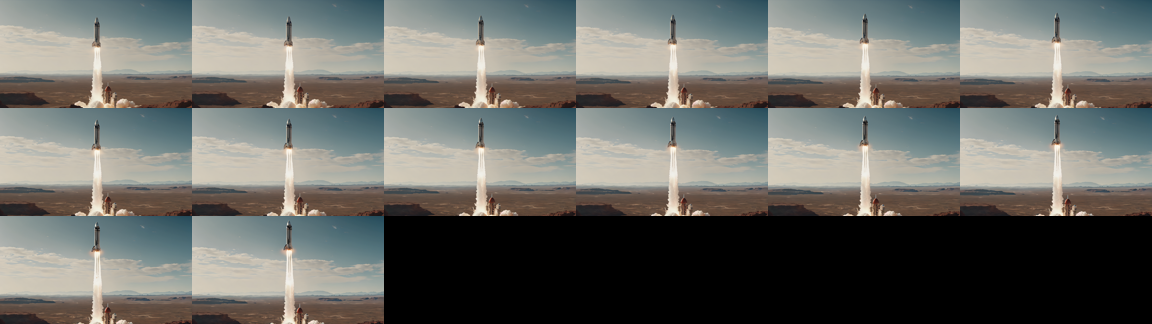
from diffusers.utils import export_to_gif, load_imagefrom IPython.display import Image as IPyImagefrom IPython.display import displayfrom PIL import Image# The canonical SVD demo image (1024x576) - the single source frame every model below animates.SOURCE_PATH = DATA_DIR /"svd_rocket.png"ifnot SOURCE_PATH.exists(): urllib.request.urlretrieve("https://huggingface.co/datasets/huggingface/documentation-images/resolve/main/diffusers/svd/rocket.png", SOURCE_PATH, )SOURCE = load_image(str(SOURCE_PATH))# Every text-conditioned model gets the SAME motion prompt, so the comparison is fair.PROMPT = ("A rocket lifts off from the launch pad, thick white exhaust plumes billowing outward, ""the rocket rising steadily into a clear blue sky. Static camera, realistic footage.")NEGATIVE ="worst quality, inconsistent motion, blurry, jittery, distorted"def reset_peak():"Zero the CUDA peak-memory counter before timing a pipeline."if torch.cuda.is_available(): torch.cuda.reset_peak_memory_stats()def peak_vram():"Peak VRAM (GB) allocated since the last reset_peak(). None on CPU."return torch.cuda.max_memory_allocated() /1e9if torch.cuda.is_available() elseNonedef contact_sheet(frames, cols=6, width=192):"Tile frames into a single PIL image so a clip is visible in the rendered docs." n =len(frames) rows = (n + cols -1) // cols w = width h =int(width * frames[0].height / frames[0].width) sheet = Image.new("RGB", (cols * w, rows * h), "black")for i, f inenumerate(frames): sheet.paste(f.resize((w, h)), ((i % cols) * w, (i // cols) * h))return sheetdef show_clip(frames, name, fps=8):"Write a GIF into DATA_DIR, display it, and print the section-4 proxy metrics." path = DATA_DIR /f"{name}.gif" export_to_gif(frames, str(path), fps=fps) display(IPyImage(filename=str(path))) display(contact_sheet(frames)) cons = frame_consistency(frames)print(f"{name}: {len(frames)} frames | consistency {cons.mean():.4f} | "f"dynamic degree {dynamic_degree(frames):.4f}")return consprint(SOURCE.size)display(SOURCE.resize((512, 288)))
(1024, 576)
8. Stable Video Diffusion (SVD-XT)
The 2023 baseline and still the easiest thing to run: an inflated SD 2.1 UNet (1.5B) with temporal layers, conditioned on a CLIP image embedding + the VAE-encoded start frame. Checkpoints: stabilityai/stable-video-diffusion-img2vid (14 frames) and stabilityai/stable-video-diffusion-img2vid-xt (25 frames).
Pick it when you want plausible camera/parallax motion out of a photograph and you do not need to say what should happen. Its defining limitation is that there is no text input at all - the CLIP image encoder sits where the text encoder would be, so your only steering wheels are the micro-conditioning scalars:
motion_bucket_id (default 127): how much motion. Low (~30-60) for archival photos and product stills; high (180+) for drama and artefacts.
noise_aug_strength (default 0.02): noise added to the conditioning image. Higher = more motion, less resemblance to your image.
fps: baked into the conditioning, not just the export.
Memory recipe: fp16 + enable_model_cpu_offload() + unet.enable_forward_chunking() + a small decode_chunk_size (the VAE decode of all frames at once is the spike; decode_chunk_size=2 trades a little flicker for several GB). This is the one model here that needs no quantization. Expect 4-8 minutes at 1024x576 - drop to 576x320 to roughly halve it.
from diffusers import StableVideoDiffusionPipelinesvd = StableVideoDiffusionPipeline.from_pretrained("stabilityai/stable-video-diffusion-img2vid-xt", torch_dtype=dtype, variant="fp16"if device !="cpu"elseNone, cache_dir=HF_CACHE,)if device !="cpu": offload(svd) # weights live in RAM, stream to the GPU per submodule svd.unet.enable_forward_chunking() # run the FFN in chunks instead of one huge batch vae_savers(svd) # SVD temporal-decoder VAE supports neither; a no-op thereelse: svd = svd.to("cpu")image = SOURCE.resize((1024, 576)) # SVD-XT is trained at this resolution; it degrades off itreset_peak()t0 = time.perf_counter()svd_frames = svd( image, # note: no prompt argument exists num_frames=14, # 25 is the XT default; 14 halves the time and the VAE spike num_inference_steps=20, decode_chunk_size=2, # the single biggest VRAM lever motion_bucket_id=127, noise_aug_strength=0.02, generator=torch.Generator(device="cpu").manual_seed(0),).frames[0]svd_secs, svd_peak = time.perf_counter() - t0, peak_vram()print(f"{svd_secs:.0f}s")svd_cons = show_clip(svd_frames, "svd_xt", fps=7)del svdfree_memory()vram("after SVD-XT")
offload: model-level (11.7 GB VRAM free)
There are modules in AutoencoderKLTemporalDecoder that should be kept in float32: []. Casting directly with `to()` can lead to inconsistent results; set `torch_dtype` in `from_pretrained()` instead to keep these modules in float32.
There are modules in AutoencoderKLTemporalDecoder that should be kept in float32: []. Casting directly with `to()` can lead to inconsistent results; set `torch_dtype` in `from_pretrained()` instead to keep these modules in float32.
There are modules in AutoencoderKLTemporalDecoder that should be kept in float32: []. Casting directly with `to()` can lead to inconsistent results; set `torch_dtype` in `from_pretrained()` instead to keep these modules in float32.
The cheap one, and architecturally the most instructive. AnimateDiff trains a motion module - temporal attention blocks inserted into a frozen SD 1.5 UNet - so any of the thousands of SD 1.5 community checkpoints instantly becomes a video model. Base AnimateDiff is text-to-video; SparseCtrl is the ControlNet that makes it image-conditioned: guoyww/animatediff-sparsectrl-rgb accepts your image as the condition for a chosen frame index (controlnet_frame_indices=[0] = “start here”).
Pick it when you want a stylised 16-frame loop in under a minute, or you need LoRA control over the look. Its weakness is inherited: the spatial backbone is SD 1.5, so it is 512x512, the motion is small and slightly loopy, and it cannot do real camera work. Total weights ~2.5 GB in fp16 - no offload, no quantization, it just fits.
from diffusers import AnimateDiffSparseControlNetPipeline, DPMSolverMultistepSchedulerfrom diffusers.models import AutoencoderKL, MotionAdapter, SparseControlNetModelbase_id ="SG161222/Realistic_Vision_V5.1_noVAE"# any SD 1.5 checkpoint works heremotion_adapter = MotionAdapter.from_pretrained("guoyww/animatediff-motion-adapter-v1-5-3", torch_dtype=dtype, cache_dir=HF_CACHE)controlnet = SparseControlNetModel.from_pretrained("guoyww/animatediff-sparsectrl-rgb", torch_dtype=dtype, cache_dir=HF_CACHE)vae = AutoencoderKL.from_pretrained("stabilityai/sd-vae-ft-mse", torch_dtype=dtype, cache_dir=HF_CACHE)scheduler = DPMSolverMultistepScheduler.from_pretrained( base_id, subfolder="scheduler", beta_schedule="linear", algorithm_type="dpmsolver++", use_karras_sigmas=True, cache_dir=HF_CACHE,)ad = AnimateDiffSparseControlNetPipeline.from_pretrained( base_id, motion_adapter=motion_adapter, controlnet=controlnet, vae=vae, scheduler=scheduler, torch_dtype=dtype, cache_dir=HF_CACHE,)# Load the LoRA while the pipeline is still on CPU, then offload - loading LoRA# onto accelerate-hooked (offloaded) modules is fragile, so order matters.ad.load_lora_weights("guoyww/animatediff-motion-lora-v1-5-3", adapter_name="motion_lora", cache_dir=HF_CACHE)offload(ad) # adaptive: keep only the active submodule resident, not the whole pipelinevae_savers(ad) # per-frame VAE decode: the batch decode of all 16 frames is a ~2 GB spikereset_peak()t0 = time.perf_counter()ad_frames = ad( prompt=PROMPT, negative_prompt=NEGATIVE, num_inference_steps=25, conditioning_frames=SOURCE.resize((512, 512)), # SD 1.5 native resolution controlnet_frame_indices=[0], # pin our image to frame 0 controlnet_conditioning_scale=1.0, generator=torch.Generator(device="cpu").manual_seed(0),).frames[0]ad_secs, ad_peak = time.perf_counter() - t0, peak_vram()print(f"{ad_secs:.0f}s")ad_cons = show_clip(ad_frames, "animatediff_sparsectrl", fps=8)del ad, motion_adapter, controlnet, vae, schedulerfree_memory()vram("after AnimateDiff")
The config attributes {'addition_embed_type': None, 'addition_embed_type_num_heads': 64, 'addition_time_embed_dim': None, 'class_embed_type': None, 'encoder_hid_dim': None, 'encoder_hid_dim_type': None, 'num_class_embeds': None, 'projection_class_embeddings_input_dim': None} were passed to SparseControlNetModel, but are not expected and will be ignored. Please verify your config.json configuration file.
10. LTX-Video 2B (the fast DiT)
The first DiT video model designed for consumer hardware, and the one that changes how the task feels: a 2B transformer with flow matching and a video VAE that compresses 1:192 (the decoder even performs the final denoising step). 121 frames at 704x480 in a couple of minutes on a 3060, versus tens of minutes for anything comparable. LTXImageToVideoPipeline takes an image and a prompt - the modern interface.
Constraints from the model card: resolution divisible by 32, num_frames divisible by 8 plus 1 (57, 121, 161…), and prompts want to be long and cinematic - LTX responds badly to two-word prompts.
The memory story, honestly. The transformer is only 2B, but the pipeline ships T5-XXL (4.7B) as its text encoder - the Hub weights are fp32, so the download is ~28 GB and a bf16 load wants ~13 GB of RAM before the GPU is even involved. On this box that is the whole budget. The fix is PipelineQuantizationConfig with bitsandbytes NF4: quantize the transformer and the text encoder to 4-bit, which brings the weights to ~3.5 GB total, quantizes shard-by-shard during load (so RAM never spikes), and still runs at bf16 compute. Add enable_model_cpu_offload() and vae.enable_tiling() on top.
The larger Lightricks/LTX-Video-0.9.8-13B-distilled and the 2026 Lightricks/LTX-2 (open weights, synchronised audio, 4K) are the same architecture scaled up; both want 24 GB+.
ltx_frames = ltx_secs = ltx_peak = ltx_cons =Noneifnot RUN_HEAVY:print("skipped LTX-Video: ~20 GB download (19 GB fp32 T5-XXL) > 8 GB cap; set RUN_HEAVY=True to run")else:from diffusers import LTXImageToVideoPipelinefrom diffusers.quantizers import PipelineQuantizationConfig# 4-bit NF4 for BOTH the DiT and T5-XXL. Without this the text encoder alone (9.4 GB bf16)# does not leave room for the model on a 12 GB card. bitsandbytes is CUDA-only. quant = ( PipelineQuantizationConfig( quant_backend="bitsandbytes_4bit", quant_kwargs={"load_in_4bit": True,"bnb_4bit_quant_type": "nf4","bnb_4bit_compute_dtype": torch.bfloat16, }, components_to_quantize=["transformer", "text_encoder"], )if device !="cpu"elseNone ) ltx = LTXImageToVideoPipeline.from_pretrained("Lightricks/LTX-Video", # the diffusers folder of this repo is the 2B transformer quantization_config=quant, torch_dtype=torch.bfloat16 if device !="cpu"else torch.float32, cache_dir=HF_CACHE, )if device !="cpu": offload(ltx) vae_savers(ltx) reset_peak() t0 = time.perf_counter() ltx_frames = ltx( image=SOURCE, prompt=PROMPT, negative_prompt=NEGATIVE, width=704, # must be divisible by 32 height=480, num_frames=57, # must be 8k + 1 num_inference_steps=30, decode_timestep=0.03, # timestep-aware VAE (0.9.1+) decode_noise_scale=0.025, guidance_scale=3.0, generator=torch.Generator(device="cpu").manual_seed(0), ).frames[0] ltx_secs, ltx_peak = time.perf_counter() - t0, peak_vram()print(f"{ltx_secs:.0f}s for {len(ltx_frames)} frames") ltx_cons = show_clip(ltx_frames, "ltx_video_2b", fps=24)del ltx free_memory() vram("after LTX-Video")
11. CogVideoX-5b-I2V (the 3-D VAE DiT - and the edge of this machine)
CogVideoX is where the modern recipe is easiest to see: a 3-D causal VAE (4x8x8 compression, so 49 output frames become 13 latent frames) feeding an expert DiT with 3-D full attention and modality-specific AdaLN for text vs video tokens. THUDM/CogVideoX-5b-I2V conditions by concatenating the VAE-encoded start frame to the noisy latent. Fixed output: 49 frames at 720x480, 8 fps.
Be clear-eyed about this cell. 5B transformer + 4.7B T5 = ~20 GB of bf16 weights. Even 4-bit NF4 on both (~5.5 GB) plus model offload, VAE tiling and slicing leaves a 3060 doing full 3-D attention over ~17k tokens per step. Reference times: ~180 s on an A100, ~90 s on an H100 for the full 49 frames at 50 steps. On a 3060 that would be half an hour or worse, so the cell below cuts to 17 frames and 20 steps and will still take roughly 10-25 minutes. It is included because it is the largest model that runs here at all - not because it is a good idea on a deadline. Set RUN_COGVIDEOX = False to skip it.
num_frames must satisfy (num_frames - 1) % 4 == 0 (the temporal compression ratio) and cannot exceed 49.
RUN_COGVIDEOX = RUN_HEAVY # ~21 GB fp32-T5 download; gated by the RUN_HEAVY budget flagcog_frames, cog_secs, cog_cons, cog_peak =None, None, None, Noneif RUN_COGVIDEOX:from diffusers import CogVideoXImageToVideoPipeline cog_quant = ( PipelineQuantizationConfig( quant_backend="bitsandbytes_4bit", quant_kwargs={"load_in_4bit": True,"bnb_4bit_quant_type": "nf4","bnb_4bit_compute_dtype": torch.bfloat16, }, components_to_quantize=["transformer", "text_encoder"], )if device !="cpu"elseNone ) cog = CogVideoXImageToVideoPipeline.from_pretrained("THUDM/CogVideoX-5b-I2V", quantization_config=cog_quant, torch_dtype=torch.bfloat16 if device !="cpu"else torch.float32, cache_dir=HF_CACHE, )if device !="cpu": offload(cog) vae_savers(cog) # decoding the latent frames at once is the memory spike reset_peak() t0 = time.perf_counter() cog_frames = cog( image=SOURCE.resize((720, 480)), # CogVideoX-5b-I2V is fixed at 720x480 prompt=PROMPT, num_frames=17, # (n - 1) % 4 == 0, max 49. 49 would be ~3x this cell's time num_inference_steps=20, # 50 is the recommended setting; 20 is a smoke test guidance_scale=6.0, generator=torch.Generator(device="cpu").manual_seed(0), ).frames[0] cog_secs, cog_peak = time.perf_counter() - t0, peak_vram()print(f"{cog_secs /60:.1f} min for {len(cog_frames)} frames") cog_cons = show_clip(cog_frames, "cogvideox_5b_i2v", fps=8)del cog free_memory() vram("after CogVideoX")
12. Keyframing, Camera Control, and Portrait Animation
Three control surfaces that turn “animate my photo” into something a professional can direct. None of them get a runnable cell here - each needs either a second multi-GB checkpoint or a vendor runtime - but they are where the real work happens.
Start + end frame (FLF2V / keyframing). Pin a condition at frame 0 and at frame T-1 and let the model interpolate. This is the single most useful control primitive: it turns generation into in-betweening, and it is how people build multi-shot sequences (the last frame of shot N becomes the first frame of shot N+1). In diffusers:
# LTX: arbitrary conditions at arbitrary frame indices (0.9.5+ checkpoints)from diffusers.pipelines.ltx.pipeline_ltx_condition import LTXConditionPipeline, LTXVideoConditionpipe = LTXConditionPipeline.from_pretrained("Lightricks/LTX-Video-0.9.5", torch_dtype=torch.bfloat16)video = pipe( conditions=[LTXVideoCondition(image=first, frame_index=0), LTXVideoCondition(image=last, frame_index=48)], prompt=prompt, width=704, height=480, num_frames=49,).frames[0]# Wan: a dedicated first-last-frame checkpoint (14B - table only on this box)# WanImageToVideoPipeline.from_pretrained("Wan-AI/Wan2.1-FLF2V-14B-720P-diffusers")(# image=first, last_image=last, prompt=prompt)
FramePack (HunyuanVideoFramepackPipeline) does the same with next-frame prediction and a fixed-length context, which is what lets it generate 60-second clips at constant memory - a genuinely different bet from joint-denoising, and the one to watch.
Camera motion. SVD’s motion_bucket_id is the crude version: one scalar for “how much movement”, no direction. Real control comes from conditioning the model on a camera trajectory - MotionCtrl and CameraCtrl train adapters that take extrinsic matrices per frame, and Wan ships camera-motion LoRAs (orbit, dolly, pan, crane). The modern shortcut is simply to say it in the prompt (“the camera slowly dollies in”) - frontier models were captioned with camera language and obey it surprisingly well, which is another reason a text input is not optional.
Character and portrait animation. A different lineage: instead of inventing motion, transfer it from a driving video or an audio track. LivePortrait (implicit-keypoint warping, real-time on a CPU-class GPU) and AnimateAnyone (reference-net + pose guider) are the classics; both are vendor codebases, not diffusers pipelines. The 2026 diffusers-native option is Wan-AI/Wan2.2-Animate-14B-Diffusers (WanAnimatePipeline), which does holistic character replacement - and at 14B is well past this machine.
13. Head-to-head Benchmark
Same source image, same prompt, same seed. Reported: wall clock, frames produced, seconds of compute per second of generated video, peak VRAM, and the section-4 proxies (adjacent-frame CLIP consistency and dynamic degree).
Read the two proxies together. A model can win the consistency column by producing a nearly static clip - so a high consistency with a near-zero dynamic degree is a failure, not a win. Neither number is a quality score; there is no reference video, so this cannot be FVD.
Hardware: RTX 3060, 12 GB VRAM, 4 vCPU, 12 GB RAM. Sample size: one image, one prompt, one seed. This is a smoke test that tells you what runs and what it costs, not which model is better. For that, run the VBench-I2V suite (hundreds of prompts, multiple seeds) on a machine with a real GPU budget, and then still look at the human Elo.
import pandas as pddef summarise(name, frames, secs, fps, peak_gb=None):"One row of the benchmark: cost + the two proxy metrics." cons = frame_consistency(frames)return {"model": name,"frames": len(frames),"seconds": round(float(secs), 1),"sec_per_video_sec": round(float(secs) / (len(frames) / fps), 1),"peak_vram_gb": round(float(peak_gb), 2) if peak_gb elseNone,"consistency": round(float(cons.mean()), 4),"dynamic_degree": round(dynamic_degree(frames), 4), }# Each model above already ran once, freed itself, and left its frames + timing behind,# so the table is assembled from those runs - we never hold two video models live at once.rows = [ summarise("SVD-XT (1.5B, image only)", svd_frames, svd_secs, fps=7, peak_gb=svd_peak), summarise("AnimateDiff+SparseCtrl (SD1.5)", ad_frames, ad_secs, fps=8, peak_gb=ad_peak),]if ltx_frames isnotNone: rows.append(summarise("LTX-Video 2B (nf4)", ltx_frames, ltx_secs, fps=24, peak_gb=ltx_peak))if cog_frames isnotNone: rows.append(summarise("CogVideoX-5b-I2V (nf4)", cog_frames, cog_secs, fps=8, peak_gb=cog_peak))df = pd.DataFrame(rows).sort_values("seconds")vram("after benchmark")df
from pyecharts.charts import Barnames = df["model"].tolist()bar = ( Bar() .add_xaxis(names) .add_yaxis("wall clock (s)", [float(x) for x in df["seconds"]]) .add_yaxis("s per second of video", [float(x) for x in df["sec_per_video_sec"]]) .set_global_opts( title_opts=opts.TitleOpts( title="Image-to-Video: generation cost", subtitle="RTX 3060 12 GB, one image, one seed - a smoke test, not a leaderboard", ), xaxis_opts=opts.AxisOpts(name="model", axislabel_opts=opts.LabelOpts(rotate=20, font_size=9)), yaxis_opts=opts.AxisOpts(name="seconds"), tooltip_opts=opts.TooltipOpts(trigger="axis"), legend_opts=opts.LegendOpts(pos_top="8%"), ))bar.render_notebook()
from pyecharts.charts import Scatter# The plot that matters: consistency is only meaningful against motion.# Bottom-right = flickering mess. Top-left = a slideshow. Top-right = an actual video.scatter = Scatter()scatter.add_xaxis([round(float(d), 4) for d in df["dynamic_degree"]])for name, cons, dyn inzip(df["model"], df["consistency"], df["dynamic_degree"]): scatter.add_yaxis( name, [[round(float(dyn), 4), round(float(cons), 4)]], symbol_size=18, label_opts=opts.LabelOpts(is_show=False), )scatter.set_global_opts( title_opts=opts.TitleOpts( title="Temporal consistency vs dynamic degree", subtitle="a static clip sits at the top-left with consistency 1.0 - and is worthless", ), xaxis_opts=opts.AxisOpts(name="dynamic degree (motion)", type_="value"), yaxis_opts=opts.AxisOpts(name="adjacent-frame CLIP similarity", type_="value", min_=0.8, max_=1.01), tooltip_opts=opts.TooltipOpts(trigger="item"), legend_opts=opts.LegendOpts(pos_top="8%", type_="scroll"),)scatter.render_notebook()
14. Interactive: Animate Your Own Image
Grab a frame from a webcam (or drop any image at datasets/my_image.jpg) and animate it with the fastest pipeline here. Guarded so a headless server falls back to the sample image and keeps going.
Note what this demo makes obvious: the model happily invents motion for a face, and the identity survives about a second. That is the state of the art on 12 GB.
# opencv-python-headless is a project dependency; the headless build captures from# V4L2 fine, it only drops the GUI windows.import ioimport timeimport cv2import numpy as npimport torchfrom IPython.display import Image as IPyImagefrom IPython.display import Pretty, displayfrom PIL import Image, ImageDraw, ImageFontCAM =0# /dev/video0WARMUP =10# throwaway reads - auto-exposure and white balance need to settleSTREAM_SECONDS =15# how long a live demo runs; interrupt the kernel to stop earlydef bootstrap(*names, notebook, sections):"""Make this demo runnable on a cold kernel, without duplicating the notebook. The demo builds on the notebook's setup and helper cells. Instead of making you run them by hand - or copying them in here and letting the copies drift - this reads the notebook file and executes those sections itself, and only when a name is actually missing. Run the notebook top to bottom and it does nothing at all. It stops as soon as every required name exists, so trailing benchmark cells in a section are not run. """ifall(n inglobals() for n in names):returnimport jsonfrom pathlib import Pathfrom IPython.utils.capture import capture_output path = Path(notebook)ifnot path.exists():raiseNameError(f"this demo needs {', '.join(n for n in names if n notinglobals())}, and cannot "f"find {notebook} to bootstrap from (cwd is {Path.cwd()}, expected the notebook's "f"own directory). Run section(s) {'; '.join(sections)} by hand instead." )print(f"cold start: running {'; '.join(sections)} from {notebook} (output suppressed)") heading =Nonefor cell in json.loads(path.read_text())["cells"]: src ="".join(cell["source"])if cell["cell_type"] =="markdown"and src.lstrip().startswith("## "): heading = src.lstrip().splitlines()[0][3:].strip()continueif cell["cell_type"] !="code"ornot heading or"def bootstrap("in src:continueifnotany(heading.startswith(s) for s in sections):continue code ="".join(""if l.lstrip().startswith(("%", "!")) else lfor l in src.splitlines(keepends=True))# The setup cells print tables and display sample images. This demo only# wants the live stream, so swallow their output - errors still propagate.with capture_output():exec(compile(code, f"{notebook} [{heading}]", "exec"), globals())ifall(n inglobals() for n in names):break still = [n for n in names if n notinglobals()]if still:raiseNameError(f"bootstrapped {'; '.join(sections)} but {', '.join(still)} ""are still undefined - the notebook layout may have changed.")def open_camera(index=CAM, width=640, height=480, auto_exposure=True, exposure=150):"Open a V4L2 webcam in MJPEG mode, let it settle, and return the capture handle." cap = cv2.VideoCapture(index, cv2.CAP_V4L2)ifnot cap.isOpened():raiseRuntimeError(f"/dev/video{index} did not open - no camera attached, ""or it is not passed through into this container" ) cap.set(cv2.CAP_PROP_FOURCC, cv2.VideoWriter.fourcc(*"MJPG")) # MJPEG unlocks the higher modes cap.set(cv2.CAP_PROP_FRAME_WIDTH, width) cap.set(cv2.CAP_PROP_FRAME_HEIGHT, height)# UVC exposure is DEVICE state and persists between processes: if anything left# this camera in manual mode, every frame comes back dark and never adapts# (measured here: mean 13/255 stuck, vs 109/255 on auto). So ask for the mode# explicitly instead of inheriting whatever the last program set.# auto (3): correct brightness, but a dim room throttles the sensor to 15 FPS# manual (1): locked 30 FPS, at whatever `exposure` level suits your lighting cap.set(cv2.CAP_PROP_AUTO_EXPOSURE, 3if auto_exposure else1)ifnot auto_exposure: cap.set(cv2.CAP_PROP_EXPOSURE, exposure)# Deliberately no CAP_PROP_BUFFERSIZE: on the V4L2 backend it HALVES the# delivered frame rate (measured here: 67 -> 134 ms per read) and does not make# frames any fresher.for _ inrange(WARMUP):ifnot cap.read()[0]: cap.release()raiseRuntimeError(f"/dev/video{index} opened but delivered no frames")return capdef grab(cap):"Read one frame off an open camera as an RGB PIL image (OpenCV hands back BGR)." ok, frame = cap.read()ifnot ok:raiseRuntimeError("failed to read a frame")return Image.fromarray(cv2.cvtColor(frame, cv2.COLOR_BGR2RGB))def capture_frame(**kw):"Open the camera, grab one settled frame, and release the device." cap = open_camera(**kw)try:return grab(cap)finally: cap.release()_FONT = ImageFont.load_default(size=15)def draw_lines(img, lines, pad=6):"Burn a few lines of text into a band across the top of a copy of `img`." out = img.convert("RGB").copy() d = ImageDraw.Draw(out) d.rectangle([0, 0, out.width, 18*len(lines) +2* pad], fill=(0, 0, 0))for i, line inenumerate(lines): d.text((pad, pad +18* i), line, fill=(255, 255, 255), font=_FONT)return outdef pair_view(left, right, gap=8):"Raw frame and annotated frame side by side on one canvas - the live view." right = right.convert("RGB")if right.size != left.size: right = right.resize(left.size) canvas = Image.new("RGB", (left.width *2+ gap, left.height), (20, 20, 20)) canvas.paste(left.convert("RGB"), (0, 0)) canvas.paste(right, (left.width + gap, 0))return canvasdef _jpeg(img, quality=80):"Encode a PIL image to JPEG bytes - what actually goes over the wire each frame." buf = io.BytesIO() img.convert("RGB").save(buf, format="JPEG", quality=quality)return buf.getvalue()def live_stream(annotate, seconds=STREAM_SECONDS, width=640, height=480):"""Stream `raw | annotated` into the notebook output until `seconds` elapse. `annotate(rgb)` returns `(annotated_image, info_string)`. The image and the status line each own a display handle and update in place, so this needs no GUI and no `cv2.imshow` - it works over JupyterLab against a headless container. Interrupt the kernel (the stop button) to end early; the camera is still released. """ cap = open_camera(width=width, height=height) view = status =None# created from the FIRST real frame, so no placeholder flashes up n, t0 =0, time.perf_counter()try:while time.perf_counter() - t0 < seconds: rgb = grab(cap) annotated, info = annotate(rgb) n +=1 frame = IPyImage(data=_jpeg(pair_view(rgb, annotated))) line = Pretty(f"frame {n:4d}{n / (time.perf_counter() - t0):5.1f} FPS {info}")if view isNone: view = display(frame, display_id=True) status = display(line, display_id=True)else: view.update(frame) status.update(line)exceptKeyboardInterrupt:if status isnotNone: status.update(Pretty(f"stopped at frame {n}"))finally: cap.release() # always hand the device back elapsed = time.perf_counter() - t0print(f"{n} frames in {elapsed:.1f}s -> {n /max(elapsed, 1e-9):.1f} FPS end-to-end ""(camera + model + JPEG encode)")def preview(seconds=5, width=640, height=480):"Stream the raw camera so you can frame the shot, then return the final frame." cap = open_camera(width=width, height=height) view = status =None# created from the FIRST real frame, so no placeholder flashes up last, n, t0 =None, 0, time.perf_counter()try:while time.perf_counter() - t0 < seconds: last = grab(cap) n +=1 frame = IPyImage(data=_jpeg(last)) line = Pretty(f"framing - {seconds - (time.perf_counter() - t0):4.1f}s left, "f"{n} frames (the last one is the one that gets used)")if view isNone: view = display(frame, display_id=True) status = display(line, display_id=True)else: view.update(frame) status.update(line)exceptKeyboardInterrupt:passfinally: cap.release()if status isnotNone: status.update(Pretty(f"captured the last of {n} frames"))return lastfrom diffusers import (AnimateDiffSparseControlNetPipeline, MotionAdapter, SparseControlNetModel)# Everything below builds on the notebook's setup and helper cells.bootstrap("dtype", "HF_CACHE", "DATA_DIR", "NEGATIVE", "load_image", "offload","show_clip", "vae_savers", "free_memory", "vram", notebook="07_Image_to_Video.ipynb", sections=["4. Evaluation Metrics", "7. Setup"])# Section 4 builds this CLIP-metric cache; an empty dict is the same starting# point, so the demo needs only the Setup section._CLIP =globals().get("_CLIP", {})custom = DATA_DIR /"my_image.jpg"if custom.exists(): source = load_image(str(custom))print(f"using {custom}")else:# AnimateDiff takes about a minute per clip, so there is no live-stream version of# this one. What the camera is good for here is framing: the preview streams live# while you get into position, and the last frame it shows is the one that gets# animated. Drop a my_image.jpg into DATA_DIR to animate that instead. source = preview(seconds=6)# AnimateDiff + SparseCtrl is the only pipeline here that loads and runs in about a minute.demo = AnimateDiffSparseControlNetPipeline.from_pretrained("SG161222/Realistic_Vision_V5.1_noVAE", motion_adapter=MotionAdapter.from_pretrained("guoyww/animatediff-motion-adapter-v1-5-3", torch_dtype=dtype, cache_dir=HF_CACHE ), controlnet=SparseControlNetModel.from_pretrained("guoyww/animatediff-sparsectrl-rgb", torch_dtype=dtype, cache_dir=HF_CACHE ), torch_dtype=dtype, cache_dir=HF_CACHE,)offload(demo) # adaptive offload instead of full residencyvae_savers(demo) # per-frame VAE decodedemo_frames = demo( prompt="gentle natural motion, subtle camera drift, cinematic lighting", negative_prompt=NEGATIVE, num_inference_steps=20, conditioning_frames=source.resize((512, 512)), controlnet_frame_indices=[0], controlnet_conditioning_scale=1.0, generator=torch.Generator(device="cpu").manual_seed(0),).frames[0]show_clip(demo_frames, "my_animation", fps=8)# End of notebook: release the demo pipeline and the CLIP metric model.del demo_CLIP.clear()free_memory()vram("final")
15. Common Frameworks
Video generation is the most memory-constrained task in this folder, and its ecosystem is organised almost entirely around that fact. diffusers is the general-purpose library - there is no transformers pipeline for video generation at all - but a large share of the practical tooling exists to make a model fit: quantisation formats, offloading strategies, step distillation, and multi-GPU sequence parallelism. Expect to spend more time on memory than on prompts.
The de-facto serving and workflow layer for video: where fp8/GGUF community quants land first, and where chaining T2I into I2V is a graph rather than a script
GPL-3.0
Almost any real workflow. Production “text-to-video” is usually image-then-animate, and that is a graph
Before believing any comparison, including the one in section 13. Eyeballing four clips is not evaluation
The 2026 default stack is diffusers with a distilled LTX or Wan checkpoint, NF4 or fp8 quantisation, group offloading, and ComfyUI for anything with more than one stage. Generate the first frame with a text-to-image model you can steer, then animate it - that is what most production pipelines actually are.
The common wrong turn is picking a model by parameter count. A 1.3B video model can ship a 20+ GB fp32 text encoder, and load_in_4bit quantises after the download, so the disk and bandwidth cost is unrelated to the VRAM cost. Check repo_info(files_metadata=True) before committing. The second is judging temporal quality from a single clip - flicker and identity drift are intermittent, which is exactly what VBench is for.
16. Going Further
Fine-tuning. LoRA is the practical route: diffusers has training scripts for CogVideoX and LTX-Video, and finetrainers / diffusion-pipe cover Wan and Hunyuan LoRAs on consumer cards. A subject/style LoRA on 20-50 clips is the standard fix for identity drift; full fine-tuning of a video DiT is a multi-GPU job.
Getting more out of 12 GB. Beyond the NF4 recipe used above: apply_group_offloading (block- or leaf-level, with use_stream=True) beats enable_model_cpu_offload when even one submodule does not fit; enable_layerwise_casting stores weights in fp8 and computes in bf16; GGUF and torchao int8 are supported backends in PipelineQuantizationConfig; and step-distilled checkpoints (LTX -distilled, AnimateLCM, Wan Lightning LoRAs) cut 30-50 steps to 4-8, which is a bigger win than any memory trick.
Evaluate properly.VBench ships an I2V suite and a runnable evaluation harness; use it before you believe any comparison, including the one above.
Related notebooks.10_Text_to_Video (the text-conditioned sibling - same models, no image), 18_Video_to_Video (editing an existing clip), 04_Text_to_Image (the diffusion fundamentals this notebook assumes), 15_Image_to_3D (the other way to make a still move).